

How can we help you?
How do I set up an Out of Office automated response?
If needed, you can set up an Out of Office autoreply for your account. This is useful for alerting anyone emailing you that you are currently not able to access your Emails. See below for how to set this up in Webmail
Webmail
To set up an Out of Office autoreply using Webmail, simply log in to your webmail account and Follow the steps below:
- Go to Settings found in the top right hand of the screen.
- Go to the Out of Office section.
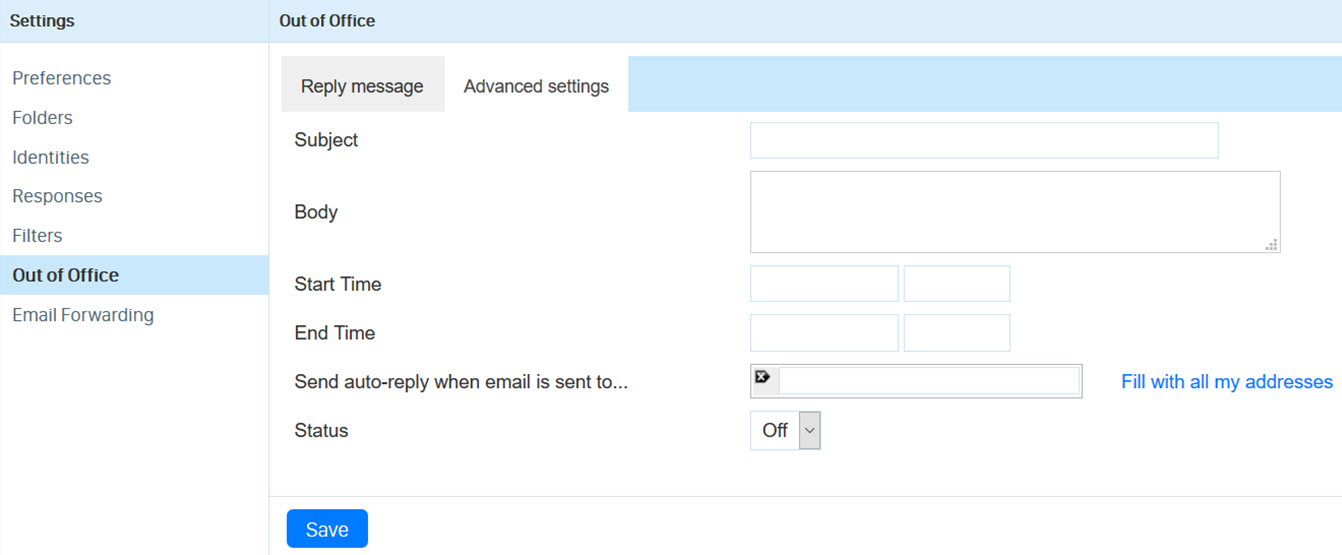
- Here you can add a Subject and Body text of the auto response you would like (just like a normal email). The Subject will be the subject for the Email, and the Body will be the main email message.
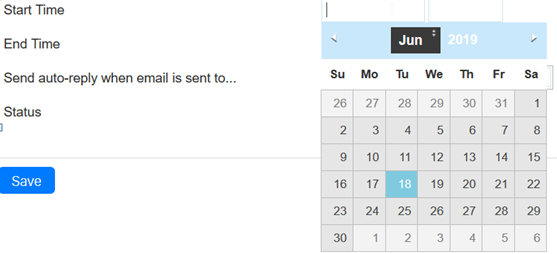
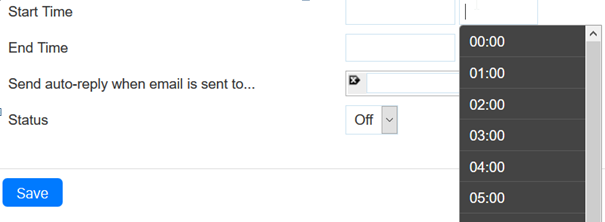
- In the Start Time and End Time boxes, you can set the dates and times you want the Autoreply to be active between. Clicking on these boxes will bring up a small calendar/time list for you to select from.
- The Send auto-reply when email is sent to... allows you to specify which alias on your account you want the auto reply to work for. For more about Aliases, you can read our help guide here.
- Status allows you to turn the autoreply on and off.
- When you have finished creating or editing your auto response, click the Save button at the bottom.
If you have any further issues setting up a automated response, please contact our helpdesk at help@aluminati.net
Service News
Updated 129 days agoProblems sending emails
08:47 on 12th Jun
We are aware of a problem which has resulted in emails sent from our accounts being bounced back to the sender.
We are in the process of investigating this problem and will add a further update once this problem has been resolved. We apologise for any inconvenience this problems is causing
Update
The problem sending emails was the result of some of our IP addresses to be listed by Spamhaus. This issue has now been resolved, and the listings have been removed.
Spamhaus is a widely used email reputation and blocklist service that many mail providers use to help identify and filter spam.
Please be aware that some users may still experience occasional bounces from mail servers that are using Spamhaus data downloaded while the IPs were listed. These servers will stop rejecting messages once they refresh their Spamhaus data. As a result, some bounces may continue for a short period after the delisting, depending on each recipient mail server's update schedule.
Issue with sending and forwarding to Yahoo email addresses
14:49 on 26th Jan
We are currently experiencing problems with our email services. Some emails sent to Yahoo servers are being deferred. This may include sent emails as well as forwarded emails. We are investigating this problem and working to resolve it as quickly as possible. We apologise for the inconvenience. We will provide an update once this problem is resolved.
We have received a response from Yahoo with confirmation that this problem has been resolved. The email queue is steadily reducing and our service should be back to normal soon.
The email queue has cleared and our service is back to normal. We’ll continue monitoring in case Yahoo makes any further policy changes.